How-To
Fine-tuning LLM Training
How to Fine-Tune Large Language Models
Complete guide to adapting pre-trained LLMs to your specific domain and use cases.
AI World News Weekly Editorial Team
4 min read
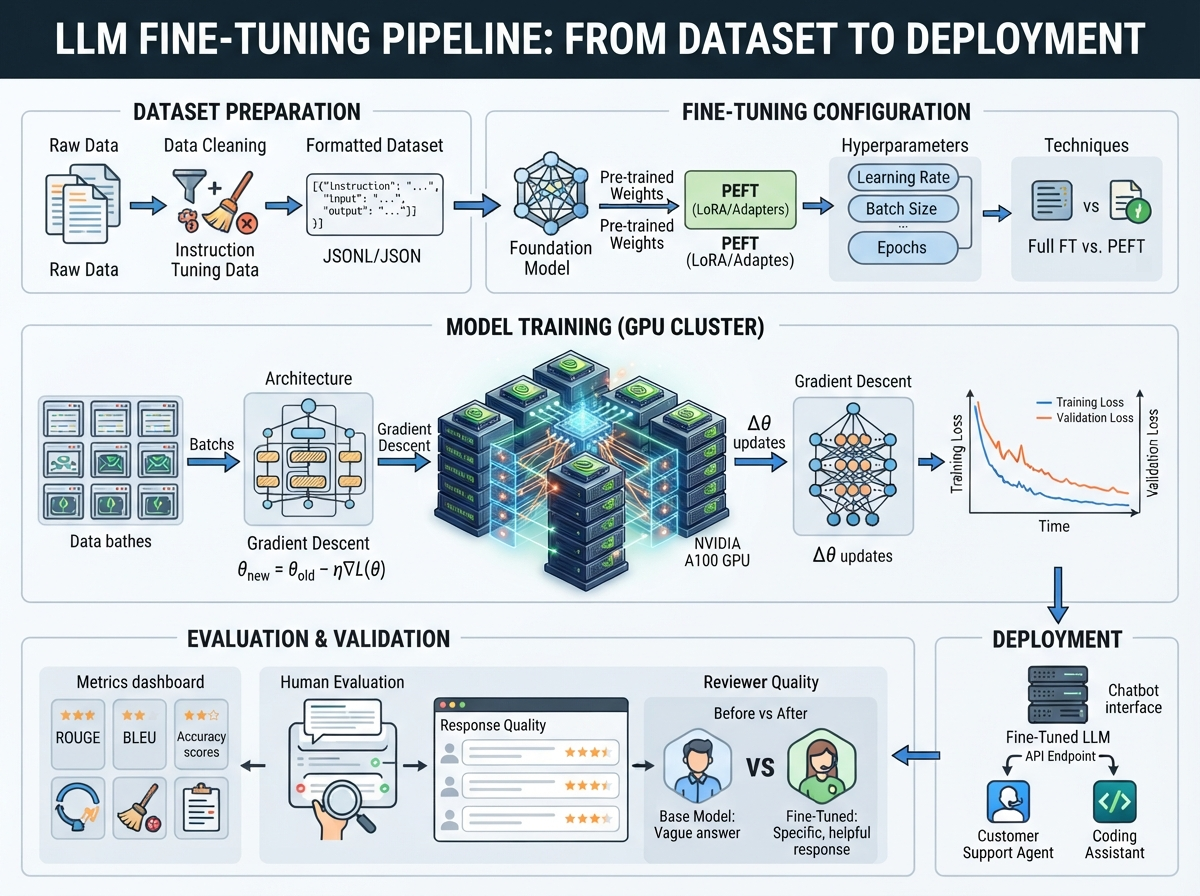
Fine-tuning allows you to adapt powerful LLMs to your specific needs. This guide walks through the entire fine-tuning process.
Prerequisites
- GPU with 16GB+ VRAM (48GB+ for larger models)
- Training dataset (100+ examples)
- LLM framework (HuggingFace, LLaMA, etc.)
- Basic Python knowledge
Step 1: Prepare Your Dataset
Data Format
{
  "instruction": "Classify this review as positive or negative",
  "input": "This product is amazing!",
  "output": "positive"
}
Quality Guidelines
- Cleanliness: Remove duplicates and errors
- Diversity: Cover various scenarios
- Balance: Equal representation of classes
- Size: Start with 100-500 examples
Data Split
- Training: 80%
- Validation: 10%
- Testing: 10%
Step 2: Choose a Base Model
Select based on your needs:
| Model | Size | Speed | Quality |
|---|---|---|---|
| Llama 2 7B | 7B | Fast | Good |
| Llama 2 13B | 13B | Medium | Better |
| Mistral 7B | 7B | Fast | Excellent |
| Claude Base | - | Slow | Excellent |
Step 3: Set Up Environment
# Install dependencies
pip install transformers torch peft

# Clone model
git clone https://huggingface.co/meta-llama/Llama-2-7b

# Prepare data
python prepare_data.py --input raw_data.json --output formatted_data.jsonl
Step 4: Configure Fine-Tuning
from transformers import AutoModelForCausalLM, AutoTokenizer, TrainingArguments
from peft import LoraConfig, get_peft_model

# Load model
model = AutoModelForCausalLM.from_pretrained("meta-llama/Llama-2-7b")
tokenizer = AutoTokenizer.from_pretrained("meta-llama/Llama-2-7b")

# Setup LoRA (parameter-efficient fine-tuning)
lora_config = LoraConfig(
    r=8,
    lora_alpha=16,
    target_modules=["q_proj", "v_proj"],
    lora_dropout=0.05,
    bias="none",
    task_type="CAUSAL_LM"
)

model = get_peft_model(model, lora_config)

# Training arguments
training_args = TrainingArguments(
    output_dir="./results",
    per_device_train_batch_size=4,
    per_device_eval_batch_size=4,
    num_train_epochs=3,
    save_steps=100,
    eval_steps=100,
    learning_rate=2e-4,
    weight_decay=0.01
)
Step 5: Run Training
from transformers import Trainer

trainer = Trainer(
    model=model,
    args=training_args,
    train_dataset=train_dataset,
    eval_dataset=eval_dataset,
)

trainer.train()
Step 6: Evaluate Performance
def evaluate_model(model, test_dataset):
    correct = 0
    for example in test_dataset:
        prediction = model.generate(example['input'])
        if matches_output(prediction, example['output']):
            correct += 1

    accuracy = correct / len(test_dataset)
    return accuracy

accuracy = evaluate_model(model, test_dataset)
print(f"Accuracy: {accuracy:.2%}")
Step 7: Deploy Fine-Tuned Model
# Save model
model.save_pretrained("./my_fine_tuned_model")
tokenizer.save_pretrained("./my_fine_tuned_model")

# Load for inference
from transformers import AutoModelForCausalLM, AutoTokenizer

model = AutoModelForCausalLM.from_pretrained("./my_fine_tuned_model")
tokenizer = AutoTokenizer.from_pretrained("./my_fine_tuned_model")

# Generate predictions
input_text = "Classify this: Amazing product"
input_ids = tokenizer.encode(input_text, return_tensors="pt")
output = model.generate(input_ids, max_length=50)
prediction = tokenizer.decode(output[0])
Fine-Tuning Techniques
LoRA (Low-Rank Adaptation)
- Efficient: Only 1-10% additional parameters
- Fast: Much quicker training
- Recommended: For most use cases
Full Fine-Tuning
- Powerful: Update all parameters
- Expensive: Requires more resources
- Use: When LoRA doesn’t work
QLoRA
- Efficient: Quantized LoRA
- Cost-effective: Run on consumer GPUs
- Recommended: For resource-constrained settings
Common Issues and Solutions
Out of Memory
- Reduce batch size
- Use gradient accumulation
- Enable flash attention
- Use quantization
Overfitting
- Use more training data
- Add data augmentation
- Increase dropout
- Reduce learning rate
Poor Performance
- Check data quality
- Increase training duration
- Try different learning rates
- Use different base model
Best Practices
- Start Small: Use small models first
- Monitor Metrics: Track loss, accuracy, f1
- Validate Frequently: Test on validation set
- Keep Baseline: Compare to original model
- Document Changes: Track experiments
Cost Estimates
Single A100 GPU:
- 7B model, 1 epoch: ~1 hour
- 13B model, 3 epochs: ~6 hours
- Cost: ~$0.40/hour
Conclusion
Fine-tuning is accessible to most developers and dramatically improves model performance on specific tasks. Start small and iterate to find the best configuration for your use case.
Sources & Resources
Libraries & Frameworks
- Hugging Face Fine-tuning - https://huggingface.co/docs/transformers/training
- PEFT Library - https://github.com/huggingface/peft
- PyTorch Training - https://pytorch.org/docs/stable/generated/torch.nn.Module.html
- TensorFlow Fine-tuning - https://www.tensorflow.org/guide/keras/transfer_learning
APIs & Platforms
- OpenAI Fine-tuning - https://platform.openai.com/docs/api-reference/fine-tuning
- Anthropic Claude - https://www.anthropic.com/claude
- Together.ai - https://www.together.ai/
Research & Learning
- Papers with Code - https://paperswithcode.com/
- ArXiv NLP Papers - https://arxiv.org/list/cs.CL/recent
- Fast.ai Courses - https://www.fast.ai/
Related Articles
How-To
How to Fine-Tune LLMs on Your Own Data
Learn the complete process of fine-tuning large language models for your specific use case, from data preparation to deployment.
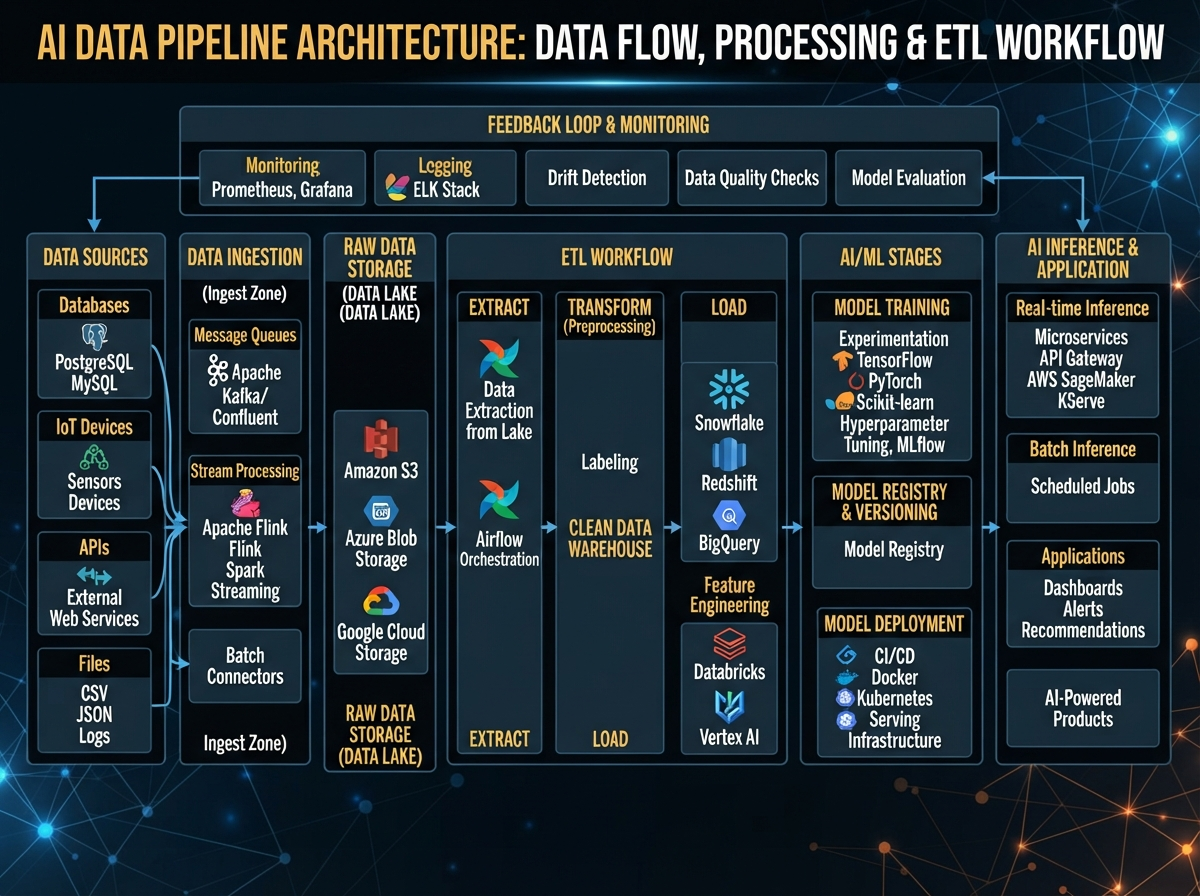
How-To
How to Build Scalable AI Data Pipelines
Step-by-step guide to building production-ready data pipelines for machine learning.
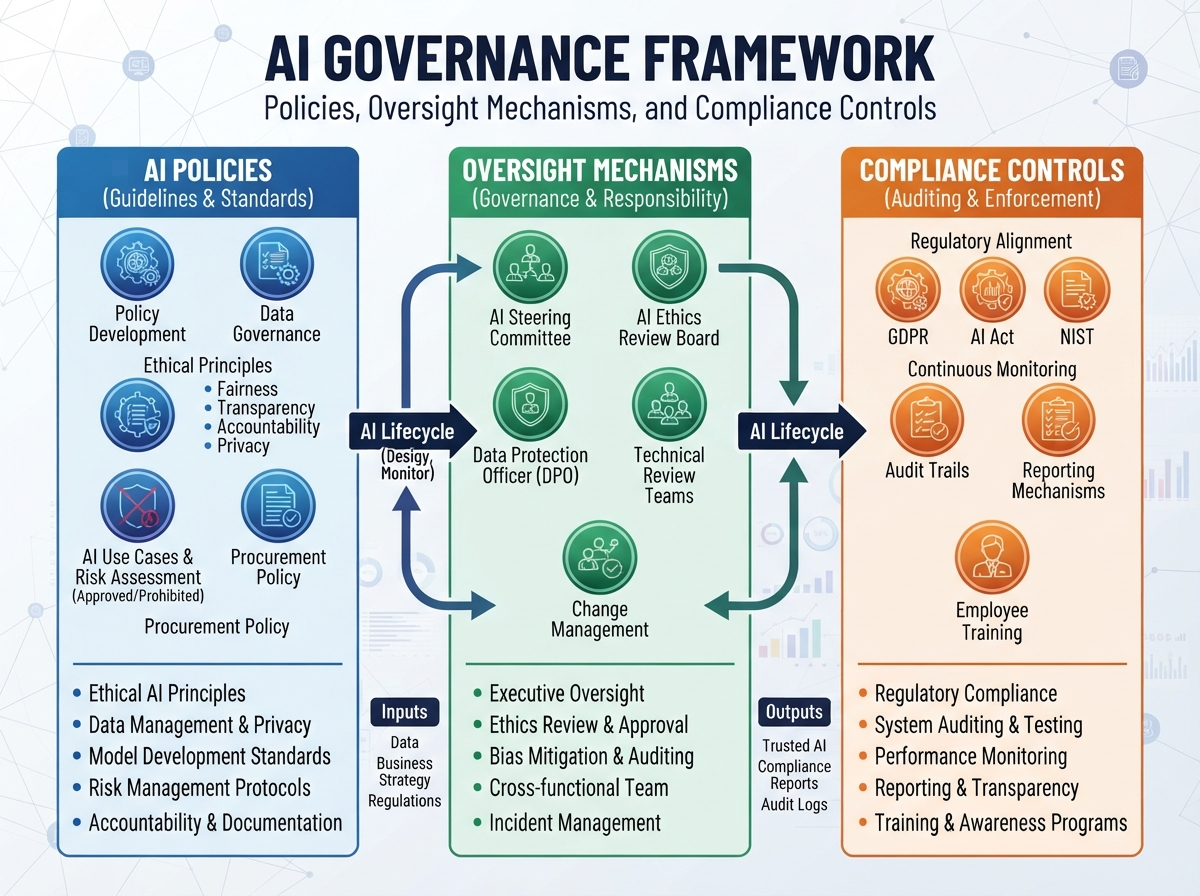
How-To
How to Implement AI Governance Frameworks
Comprehensive guide to establishing governance policies and oversight for AI systems.